
AI video maker: create a video from a link, an article or a prompt
Fliz is an AI video maker and AI video generator built for the content you already have. Paste the URL of a blog post or a store page, or type a short brief: the AI writes the script, generates every image, records the voiceover, adds music and subtitles, and assembles the video. No timeline to edit, no camera, no studio and no prompt engineering needed.
Create a videoHow the AI video generator works
- 1
Paste your content
A blog post, a news article, a page from your online store, an advertisement or a few lines of text. The AI reads it and keeps what matters for a video.
- 2
Choose a style, a voice and a format
Pick one of 63 visual styles, from watercolor to manga, a natural AI voice in one of 32 languages, and a vertical 9:16, square 1:1 or horizontal 16:9 format.
- 3
Review the script, then generate
The AI writes a script with a hook and a call to action. Edit it before generation if you want, then Fliz will generate an AI image for each part, record the voice and export a 1080p MP4.
What people create with an AI video generator
News and media
Generate a TV news, YouTube explainer or social media video from an article, and publish the video version of every story you write.
E-commerce and ads
Start from a store page URL, or upload 3 to 10 photos of an item, and generate a presentation, a test or video ads without filming anything.
Real estate
Property listings become videos that show the key selling points.
Recipes
A written recipe becomes a step-by-step cooking video, with one AI image for each step.
Tutorials and training
Turn a how-to article or internal documentation into training videos with clear steps.
Stories
Children’s stories, history, science or paranormal narratives, each with a script style for that genre. Bring a character to life and let the narration follow it from start to finish.
63 visual styles
Every AI video keeps one visual identity from the opening shot to the last. A visual style is more than a filter: it sets the medium, the palette and the shapes of every image. Explore watercolor, manga, comic book, pixel art, clay animation, pop art, hyperrealistic and many more.
 Watercolor
 Manga
Manga Pixel art
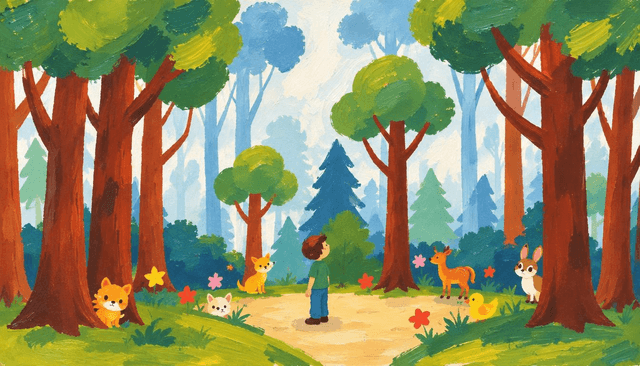 Storybook
 Japanese animation
 Comic book
Built to publish, not just to try
Every format
9:16 for TikTok, Reels and Shorts, 1:1 for Instagram and LinkedIn posts, 16:9 for YouTube. Create the script once, then generate a version for each social network.
32 languages
The script is adapted to each language, not translated word for word, then read by a natural AI voice. A single article can become AI videos for each of your markets.
Automation included
The REST API comes with every subscription. Connect Zapier, Make or n8n, or install the WordPress plugin to create a video automatically from each new post, hands-free.
What the Fliz AI video maker does for you
Most AI video tools give you one piece of the job: a few clips, a voice, an editor. Fliz covers the whole video creation workflow, from creating the script to the final export. You bring the content, the AI video generator turns it into a finished, narrated video that is ready to publish on your channels or on your site.
Behind the scenes, several AI models work in sequence: a script generator, an image generator and a voice generator, chained into one video generator. A language model reads your page or your text and writes a script built for video: a hook in the first lines, one idea per scene, a call to action at the end. An image model then generates one AI image for each idea, in the style you chose. A voice model records the voiceover, subtitles are synced to the voice, and background music is added. Fliz then assembles the audio and the visuals into a single 1080p MP4 output.
- Script: written by the AI from your content, with a hook and a call to action, editable before generation.
- Visuals: one AI-generated image per part of the script, and you can regenerate any image you want to change.
- Voice: natural AI voiceovers in 32 languages, with the script adapted to each language.
- Subtitles: synced to the speech, with an adjustable position, or turned off.
- Audio: background music from the library, or upload your own copyright-free music.
- Motion: animate only the hook or the whole video with AI motion, or keep still images.
Features of the Fliz AI video generator
Fliz is a web app, nothing to download: open the app in your browser. Every plan includes the API, 1080p export and a custom watermark.
- 63 visual styles for your AI images and 16 script styles
- AI voiceover with support for 32 languages
- Export with support for 9:16, 1:1 or 16:9, as a 1080p MP4 output
- Synced subtitles, background music, voice and audio in one file, plus your own watermark
- REST API access, WordPress plugin, and support for Zapier, Make and n8n
AI video generator or AI video model: what is the difference?
When people look for the best AI video generator, they often compare AI video generation models such as Google Veo or Kling. These video models generate a few seconds of cinematic footage from a text prompt: you describe a character, a setting and a camera move, and the model renders a clip. They are powerful AI tools for creative shots, but a few seconds of footage is not a publishable video.
Fliz is a different kind of AI video generator. It does not compete with Veo on cinematic motion. It will produce a complete video with a beginning, a middle and an end: a script, a series of images, a narrator, subtitles and music. If you need to generate a few seconds of cinematic footage for a creative project, models like Veo are the right choice. If you need a vertical video that explains an article, presents an offer or tells a story, Fliz is built for that.
You can also combine both tools: video models for a few cinematic clips, Fliz for the narrated AI videos you publish every day. There are no avatars and no talking heads in Fliz. The video is carried by the voice, the visuals and the subtitles, the format most faceless channels and brand accounts use.
From text to video, image by image
Fliz turns text to video image by image, and it accepts more than written prompts. Each input has its own creation flow, so the AI knows what kind of video to generate:
- A public URL: a blog post, a news article, a store page, a landing page or a listing. Fliz reads the page; it is not a video downloader.
- Pasted text: an article title and its content, when the page is not public.
- A product: a name, a description and 3 to 10 photos, for an image to video presentation.
- An ad: an advertisement title and content, turned into a video for your campaigns.
- A brief: a few lines with your ideas, and the AI writes the full script.
16 script styles for different kinds of videos
The script style tells the AI how to write. Explore the 16 script styles and choose the one that matches your topic:
- News, in podcast, social media, TV or YouTube educational style
- E-commerce product presentation and product test
- Classified ad and real estate listing
- Cooking recipe and step-by-step tutorial
- Health and wellness, psychology and personal development
- History and culture, science and future
- Children’s story and paranormal story
Pro tips to get the best AI video
The best AI video starts with the right input. A focused article or page gives the AI models more to work with than vague prompts, and a brief works best when it states the audience, the key message and the call to action. For a children’s story, describe the main character in your brief. Starting from a page you already have is the easy way to get started.
Take the time to read the script before the video generation starts. It is the best place to refine the video, and you are free to rewrite any line: change a sentence, shorten a scene or rewrite the hook. Once the images are generated, you can still regenerate any image that does not fit, and refine them until they match your message.
Try two or three visual styles on the same article. A calm watercolor explainer and a bold comic book story reach other audiences and creative directions. Add motion to the hook if you want the first seconds to stand out in the feed, add your watermark, and swap the default music for your own audio track. These pro habits take a few minutes and make the output feel like your brand.
AI video maker or AI video editor?
An AI video editor helps you edit footage you already filmed, with editing tools for trimming, captions and transitions. An AI video maker like Fliz starts with no footage at all. You do not need editing skills or a video editor: editing happens in the script, before you generate the video, and the AI takes care of the visuals, the voice and the audio elements. Fliz exports a finished MP4 that you can still open in your usual video editor if you want to add multiple clips or your own footage.
An AI video generator for marketing teams, creators and publishers
Marketing teams use Fliz to create video ads and promo videos from pages they already have. Creators use it to create faceless videos for YouTube, TikTok and Instagram without a camera. Publishers turn every article into a video, in multiple languages, and bring their articles to life.
Users who publish at scale can explore the API and the automation features to connect Fliz to their own tools and workflow. API access is always included, and Zapier, Make and n8n let you generate videos from a spreadsheet, a CMS or an RSS feed. The WordPress plugin can create a video for each new post when it goes live.
Questions about the AI video generator
Do I need video editing skills?
No. You paste a link or a text, choose a look, a voice and a format, and Fliz will produce the finished video. There is no timeline to learn: editing happens in the script.
What can I turn into a video?
Any public URL, such as a blog post, a news article or a product page, as well as text you paste, photos of an item, an advertisement, or a brief describing the video you want.
Can I create a video from a prompt instead of a link?
Yes. You can start with a short prompt with your ideas, the audience and the call to action, and the AI video generator writes the full script from it. No prompt engineering is needed, and you review the script before generating anything. Pro tip: a short prompt works, but a detailed one gives the AI more to work with.
Which is the best video generator for my content?
It depends on the output you need. For a few seconds of cinematic footage, AI video generation models like Veo are the best choice. To generate complete narrated videos from an article, a product page or a prompt, Fliz is the better fit, because you do not have to spend time writing a script or creating the visuals yourself.
Is there an AI video generator free of charge?
Creating a Fliz account is free, but generating videos uses credits, and there is no free plan with credits included. You can also earn credits by referring friends. A simple video uses 95 credits.
Can I generate videos from text?
Yes. Paste an article or type a brief, and the AI writes the script, creates every picture and the narration, and assembles the video. Text to video AI is the core of Fliz: videos from text, from a URL or from photos.
Is Fliz like Google Veo or Kling?
No. Veo and Kling are video generation models that create cinematic clips from prompts. Fliz uses AI models to create complete narrated AI videos: script, AI images, voice, subtitles and music, in 9:16, 1:1 or 16:9.
Can I edit the AI-generated video?
Yes. You can edit the script scene by scene before generation, regenerate any image, move or hide the subtitles, upload your own music and add your watermark in the top right corner.
How much does a video cost?
Fliz works with credits: a simple video uses 95 credits. Plans are monthly or yearly, with no commitment, you can cancel anytime, and every subscription includes API access.
Make your first AI video
Start from a link you already have, an article, a store page or a listing, and let the AI video generator create the rest.